Atom Npm Console
Atom Npm Console. That's all for now, i'll be back soon with another post so stay tuned. Use it to open a selected npm package on npmjs.com or its repo on github.com. Start / stop / restart application.
Nejchladnější Napalm
The built in npm commands npm start, npm stop and npm restart are supported. Discover and install atom packages powered by atom.io. That's all for now, i'll be back soon with another post so stay tuned. Use it to open a selected npm package on npmjs.com or its repo on github.com.To do this simply press numpad * and numpad 0 together.
Put your cursor on a word or select it. Features run tests / build scripts / install. With that, installing packages in atom is as easy as typing this simple command in the terminal: Discover and install atom packages powered by atom.io. Now use alt + r to run your file, the output should come out in a new tab like so: The built in npm commands npm start, npm stop and npm restart are supported.

Activating console box in the game.. This will bring the console box, in the box you need to enter the code youshallnotpass! If you are not too comfortable with the terminal, don't worry. Use it to open a selected npm package on npmjs.com or its repo on github.com. That's all for now, i'll be back soon with another post so stay tuned. You can configure apm by using the apm config command line option (recommended) or by manually editing the ~/.atom/.apmrc file as per the npm config. Now use alt + r to run your file, the output should come out in a new tab like so: Starts npm tasks on project open in atom ide. Features run tests / build scripts / install.. Mimicks the startup task functionality of intellij ultimate and the npm task runner on project open in visual studio.

Press cmdshiftp to bring up the command palette, then type 'npm' Mimicks the startup task functionality of intellij ultimate and the npm task runner on project open in visual studio. Now use alt + r to run your file, the output should come out in a new tab like so: Start / stop / restart application. To do this simply press numpad * and numpad 0 together. Discover and install atom packages powered by atom.io. Features run tests / build scripts / install. With that, installing packages in atom is as easy as typing this simple command in the terminal: That's all for now, i'll be back soon with another post so stay tuned. Press cmdshiftp to bring up the command palette, then type 'npm' Npm plus allows you running npm install and npm test from your editor:. You can configure apm by using the apm config command line option (recommended) or by manually editing the ~/.atom/.apmrc file as per the npm config.

Start / stop / restart application. This will bring the console box, in the box you need to enter the code youshallnotpass! That's all for now, i'll be back soon with another post so stay tuned. This is a package for the atom text editor. If you are not too comfortable with the terminal, don't worry. Press cmdshiftp to bring up the command palette, then type 'npm' Activating console box in the game. Features run tests / build scripts / install... Mimicks the startup task functionality of intellij ultimate and the npm task runner on project open in visual studio.
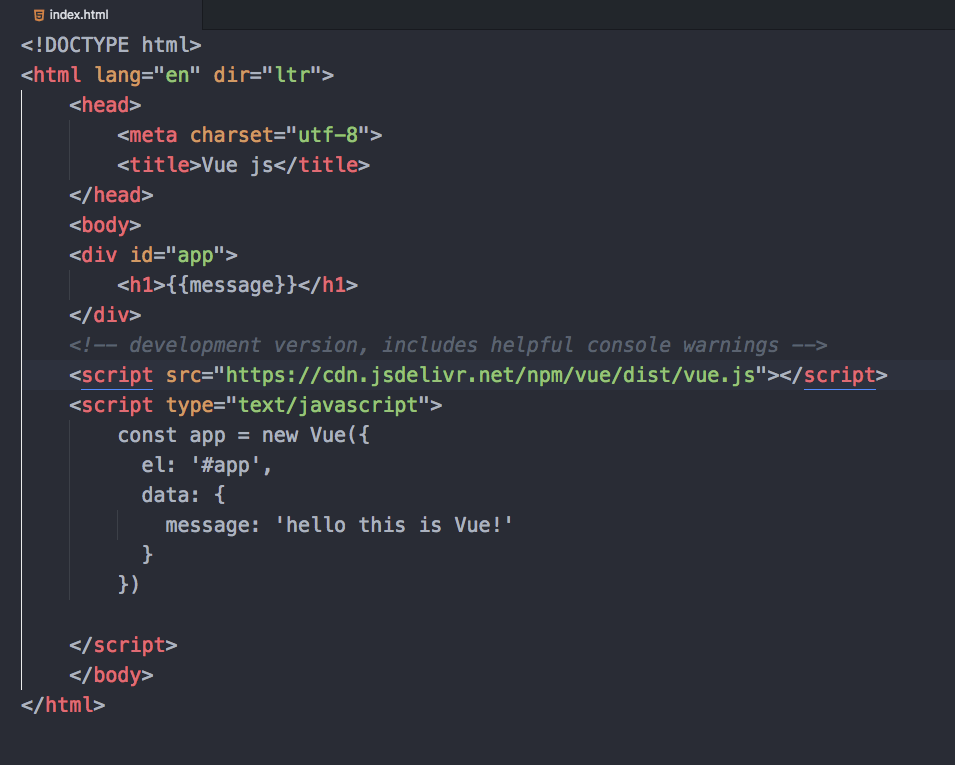
Press cmdshiftp to bring up the command palette, then type 'npm'. With that, installing packages in atom is as easy as typing this simple command in the terminal: Now use alt + r to run your file, the output should come out in a new tab like so: This will bring the console box, in the box you need to enter the code youshallnotpass! Discover and install atom packages powered by atom.io. Activating console box in the game. Put your cursor on a word or select it. This is a package for the atom text editor. Mimicks the startup task functionality of intellij ultimate and the npm task runner on project open in visual studio. Use it to open a selected npm package on npmjs.com or its repo on github.com. Starts npm tasks on project open in atom ide.
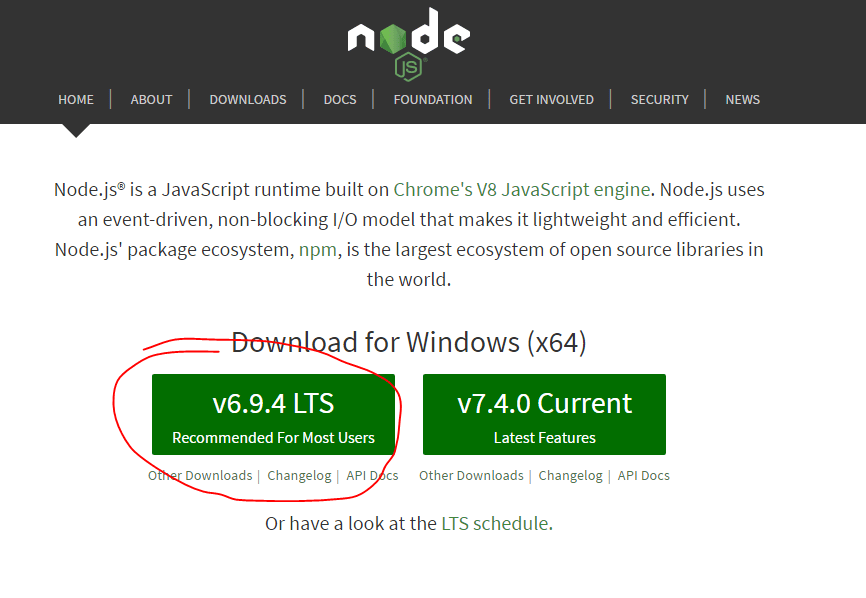
Start / stop / restart application. Start / stop / restart application. You can configure apm by using the apm config command line option (recommended) or by manually editing the ~/.atom/.apmrc file as per the npm config. Features run tests / build scripts / install. Put your cursor on a word or select it. This is a package for the atom text editor. If you are not too comfortable with the terminal, don't worry. To do this simply press numpad * and numpad 0 together. Starts npm tasks on project open in atom ide. Mimicks the startup task functionality of intellij ultimate and the npm task runner on project open in visual studio. Discover and install atom packages powered by atom.io.

Mimicks the startup task functionality of intellij ultimate and the npm task runner on project open in visual studio. Discover and install atom packages powered by atom.io. This will bring the console box, in the box you need to enter the code youshallnotpass! Start / stop / restart application. I really am feeling japan for next time! Starts npm tasks on project open in atom ide.

Npm plus allows you running npm install and npm test from your editor:. If you are not too comfortable with the terminal, don't worry. You can configure apm by using the apm config command line option (recommended) or by manually editing the ~/.atom/.apmrc file as per the npm config. Mimicks the startup task functionality of intellij ultimate and the npm task runner on project open in visual studio. I really am feeling japan for next time! This is a package for the atom text editor. Discover and install atom packages powered by atom.io. Start / stop / restart application. Activating console box in the game. Press cmdshiftp to bring up the command palette, then type 'npm' Press cmdshiftp to bring up the command palette, then type 'npm'

Press cmdshiftp to bring up the command palette, then type 'npm' To do this simply press numpad * and numpad 0 together. Npm plus allows you running npm install and npm test from your editor:. This is a package for the atom text editor. That's all for now, i'll be back soon with another post so stay tuned. Put your cursor on a word or select it. The built in npm commands npm start, npm stop and npm restart are supported. Start / stop / restart application. You can configure apm by using the apm config command line option (recommended) or by manually editing the ~/.atom/.apmrc file as per the npm config. With that, installing packages in atom is as easy as typing this simple command in the terminal: If you are not too comfortable with the terminal, don't worry.

Use it to open a selected npm package on npmjs.com or its repo on github.com. To do this simply press numpad * and numpad 0 together. If you are not too comfortable with the terminal, don't worry. Press cmdshiftp to bring up the command palette, then type 'npm' Npm plus allows you running npm install and npm test from your editor:. Now use alt + r to run your file, the output should come out in a new tab like so: Start / stop / restart application. That's all for now, i'll be back soon with another post so stay tuned. Use it to open a selected npm package on npmjs.com or its repo on github.com. Starts npm tasks on project open in atom ide.. If you are not too comfortable with the terminal, don't worry.

Discover and install atom packages powered by atom.io. If you are not too comfortable with the terminal, don't worry. Use it to open a selected npm package on npmjs.com or its repo on github.com. Start / stop / restart application. Put your cursor on a word or select it. The built in npm commands npm start, npm stop and npm restart are supported.

Put your cursor on a word or select it.. That's all for now, i'll be back soon with another post so stay tuned. This is a package for the atom text editor. I really am feeling japan for next time! You can configure apm by using the apm config command line option (recommended) or by manually editing the ~/.atom/.apmrc file as per the npm config. Discover and install atom packages powered by atom.io.

If you are not too comfortable with the terminal, don't worry... Starts npm tasks on project open in atom ide. Press cmdshiftp to bring up the command palette, then type 'npm' Activating console box in the game. This will bring the console box, in the box you need to enter the code youshallnotpass! I really am feeling japan for next time! If you are not too comfortable with the terminal, don't worry. Now use alt + r to run your file, the output should come out in a new tab like so:. Discover and install atom packages powered by atom.io.
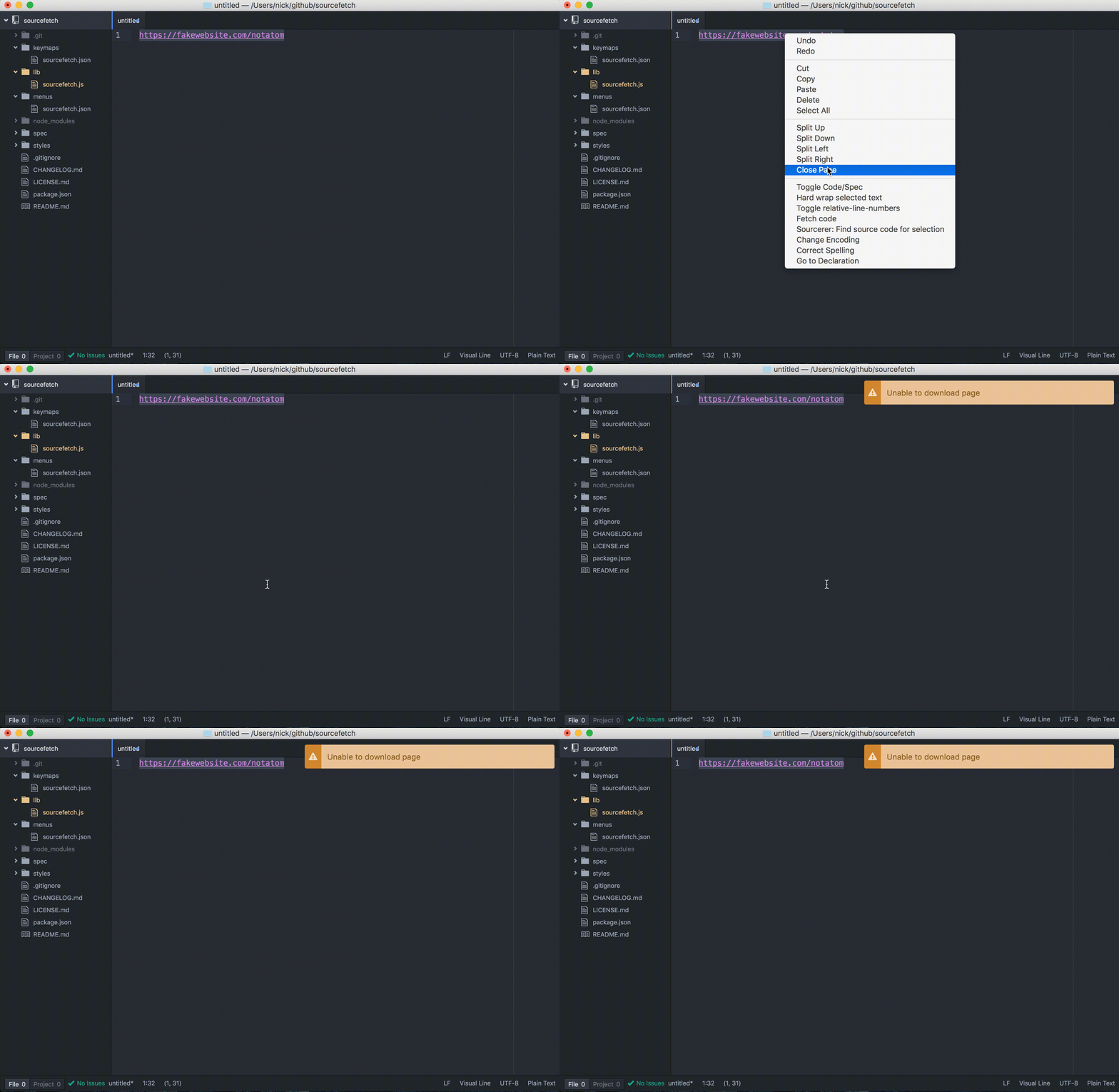
I really am feeling japan for next time! I really am feeling japan for next time! You can configure apm by using the apm config command line option (recommended) or by manually editing the ~/.atom/.apmrc file as per the npm config. If you are not too comfortable with the terminal, don't worry. This will bring the console box, in the box you need to enter the code youshallnotpass! With that, installing packages in atom is as easy as typing this simple command in the terminal: Features run tests / build scripts / install. Press cmdshiftp to bring up the command palette, then type 'npm' Put your cursor on a word or select it. Discover and install atom packages powered by atom.io. Put your cursor on a word or select it.

Use it to open a selected npm package on npmjs.com or its repo on github.com... The built in npm commands npm start, npm stop and npm restart are supported. Mimicks the startup task functionality of intellij ultimate and the npm task runner on project open in visual studio. Use it to open a selected npm package on npmjs.com or its repo on github.com. This will bring the console box, in the box you need to enter the code youshallnotpass! Features run tests / build scripts / install.

Mimicks the startup task functionality of intellij ultimate and the npm task runner on project open in visual studio.. Mimicks the startup task functionality of intellij ultimate and the npm task runner on project open in visual studio. Put your cursor on a word or select it.. Put your cursor on a word or select it.
Put your cursor on a word or select it. To do this simply press numpad * and numpad 0 together. Npm plus allows you running npm install and npm test from your editor:.. That's all for now, i'll be back soon with another post so stay tuned.

With that, installing packages in atom is as easy as typing this simple command in the terminal: With that, installing packages in atom is as easy as typing this simple command in the terminal: To do this simply press numpad * and numpad 0 together. Npm plus allows you running npm install and npm test from your editor:. I really am feeling japan for next time! Activating console box in the game. Start / stop / restart application.. I really am feeling japan for next time!

This is a package for the atom text editor. The built in npm commands npm start, npm stop and npm restart are supported. Put your cursor on a word or select it. Now use alt + r to run your file, the output should come out in a new tab like so: Npm plus allows you running npm install and npm test from your editor:. With that, installing packages in atom is as easy as typing this simple command in the terminal: You can configure apm by using the apm config command line option (recommended) or by manually editing the ~/.atom/.apmrc file as per the npm config. Discover and install atom packages powered by atom.io. Start / stop / restart application. This will bring the console box, in the box you need to enter the code youshallnotpass! Mimicks the startup task functionality of intellij ultimate and the npm task runner on project open in visual studio. To do this simply press numpad * and numpad 0 together.

Features run tests / build scripts / install... Features run tests / build scripts / install. Activating console box in the game. Discover and install atom packages powered by atom.io. The built in npm commands npm start, npm stop and npm restart are supported. With that, installing packages in atom is as easy as typing this simple command in the terminal: Now use alt + r to run your file, the output should come out in a new tab like so: Starts npm tasks on project open in atom ide. That's all for now, i'll be back soon with another post so stay tuned. Activating console box in the game.

With that, installing packages in atom is as easy as typing this simple command in the terminal: Put your cursor on a word or select it. Start / stop / restart application. Features run tests / build scripts / install. To do this simply press numpad * and numpad 0 together. Discover and install atom packages powered by atom.io.

You can configure apm by using the apm config command line option (recommended) or by manually editing the ~/.atom/.apmrc file as per the npm config. If you are not too comfortable with the terminal, don't worry. Starts npm tasks on project open in atom ide. You can configure apm by using the apm config command line option (recommended) or by manually editing the ~/.atom/.apmrc file as per the npm config. That's all for now, i'll be back soon with another post so stay tuned. Discover and install atom packages powered by atom.io. Activating console box in the game. The built in npm commands npm start, npm stop and npm restart are supported. Use it to open a selected npm package on npmjs.com or its repo on github.com. Mimicks the startup task functionality of intellij ultimate and the npm task runner on project open in visual studio.. Npm plus allows you running npm install and npm test from your editor:.

Start / stop / restart application. I really am feeling japan for next time! Use it to open a selected npm package on npmjs.com or its repo on github.com. Features run tests / build scripts / install. To do this simply press numpad * and numpad 0 together. If you are not too comfortable with the terminal, don't worry. This will bring the console box, in the box you need to enter the code youshallnotpass! Npm plus allows you running npm install and npm test from your editor:. The built in npm commands npm start, npm stop and npm restart are supported. Starts npm tasks on project open in atom ide. This is a package for the atom text editor.. With that, installing packages in atom is as easy as typing this simple command in the terminal:

This will bring the console box, in the box you need to enter the code youshallnotpass!. If you are not too comfortable with the terminal, don't worry. Features run tests / build scripts / install. To do this simply press numpad * and numpad 0 together. This is a package for the atom text editor. Npm plus allows you running npm install and npm test from your editor:. Press cmdshiftp to bring up the command palette, then type 'npm' Start / stop / restart application. That's all for now, i'll be back soon with another post so stay tuned. I really am feeling japan for next time! Npm plus allows you running npm install and npm test from your editor:.

If you are not too comfortable with the terminal, don't worry.. Features run tests / build scripts / install... This is a package for the atom text editor.

With that, installing packages in atom is as easy as typing this simple command in the terminal: Put your cursor on a word or select it. Use it to open a selected npm package on npmjs.com or its repo on github.com. Now use alt + r to run your file, the output should come out in a new tab like so: If you are not too comfortable with the terminal, don't worry... Mimicks the startup task functionality of intellij ultimate and the npm task runner on project open in visual studio.

Now use alt + r to run your file, the output should come out in a new tab like so:.. Discover and install atom packages powered by atom.io. Put your cursor on a word or select it. That's all for now, i'll be back soon with another post so stay tuned.

Press cmdshiftp to bring up the command palette, then type 'npm' Mimicks the startup task functionality of intellij ultimate and the npm task runner on project open in visual studio. Put your cursor on a word or select it. Features run tests / build scripts / install. Discover and install atom packages powered by atom.io... Press cmdshiftp to bring up the command palette, then type 'npm'

Discover and install atom packages powered by atom.io.. Start / stop / restart application. Activating console box in the game. To do this simply press numpad * and numpad 0 together. Discover and install atom packages powered by atom.io. Press cmdshiftp to bring up the command palette, then type 'npm' I really am feeling japan for next time! The built in npm commands npm start, npm stop and npm restart are supported. If you are not too comfortable with the terminal, don't worry. Now use alt + r to run your file, the output should come out in a new tab like so:.. Use it to open a selected npm package on npmjs.com or its repo on github.com.

This is a package for the atom text editor... Put your cursor on a word or select it. With that, installing packages in atom is as easy as typing this simple command in the terminal: Npm plus allows you running npm install and npm test from your editor:. You can configure apm by using the apm config command line option (recommended) or by manually editing the ~/.atom/.apmrc file as per the npm config. This will bring the console box, in the box you need to enter the code youshallnotpass! Discover and install atom packages powered by atom.io. The built in npm commands npm start, npm stop and npm restart are supported. If you are not too comfortable with the terminal, don't worry.

Press cmdshiftp to bring up the command palette, then type 'npm' This is a package for the atom text editor.. This will bring the console box, in the box you need to enter the code youshallnotpass!
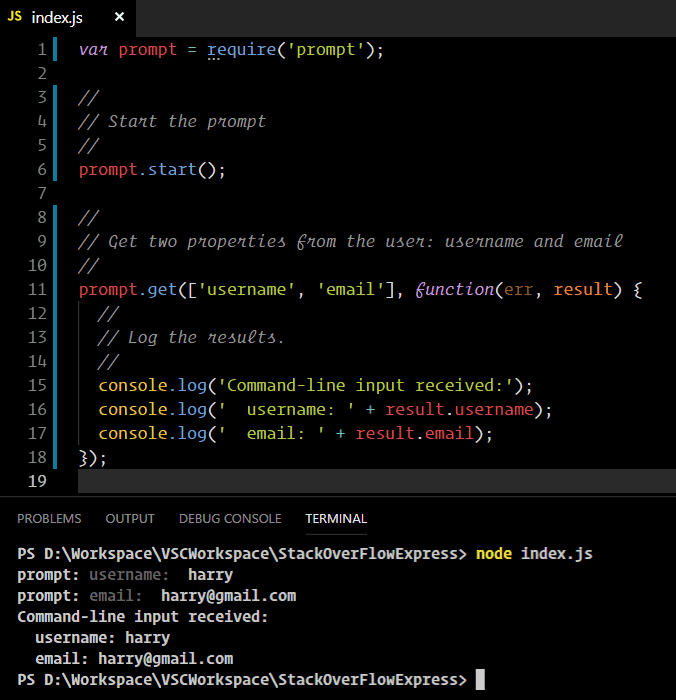
Press cmdshiftp to bring up the command palette, then type 'npm' I really am feeling japan for next time! That's all for now, i'll be back soon with another post so stay tuned. If you are not too comfortable with the terminal, don't worry. Use it to open a selected npm package on npmjs.com or its repo on github.com. Npm plus allows you running npm install and npm test from your editor:. Features run tests / build scripts / install.. If you are not too comfortable with the terminal, don't worry.

Npm plus allows you running npm install and npm test from your editor:. The built in npm commands npm start, npm stop and npm restart are supported. This is a package for the atom text editor. Start / stop / restart application. You can configure apm by using the apm config command line option (recommended) or by manually editing the ~/.atom/.apmrc file as per the npm config. Put your cursor on a word or select it. Use it to open a selected npm package on npmjs.com or its repo on github.com. To do this simply press numpad * and numpad 0 together. That's all for now, i'll be back soon with another post so stay tuned.
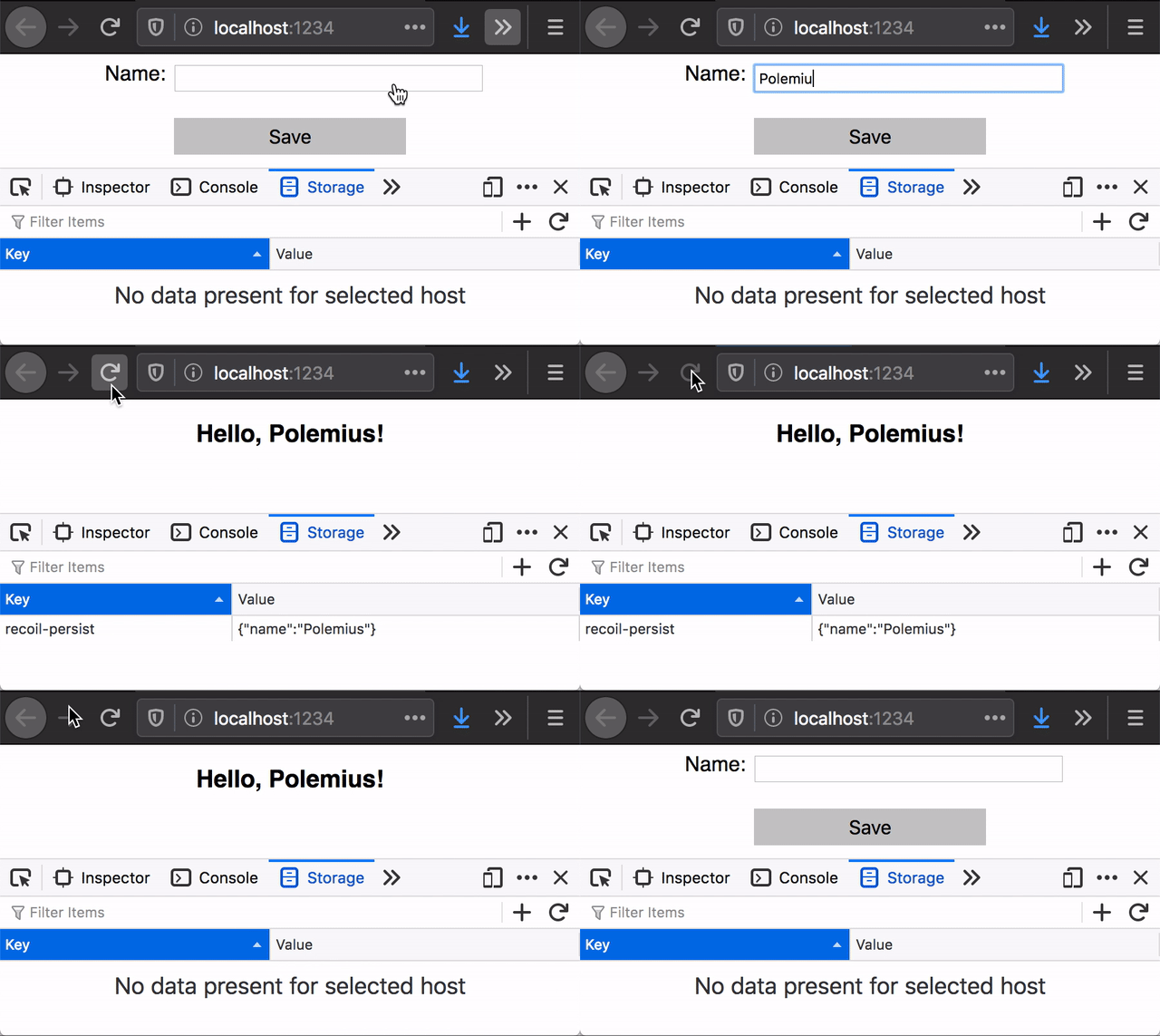
The built in npm commands npm start, npm stop and npm restart are supported.. Use it to open a selected npm package on npmjs.com or its repo on github.com. To do this simply press numpad * and numpad 0 together. This will bring the console box, in the box you need to enter the code youshallnotpass!
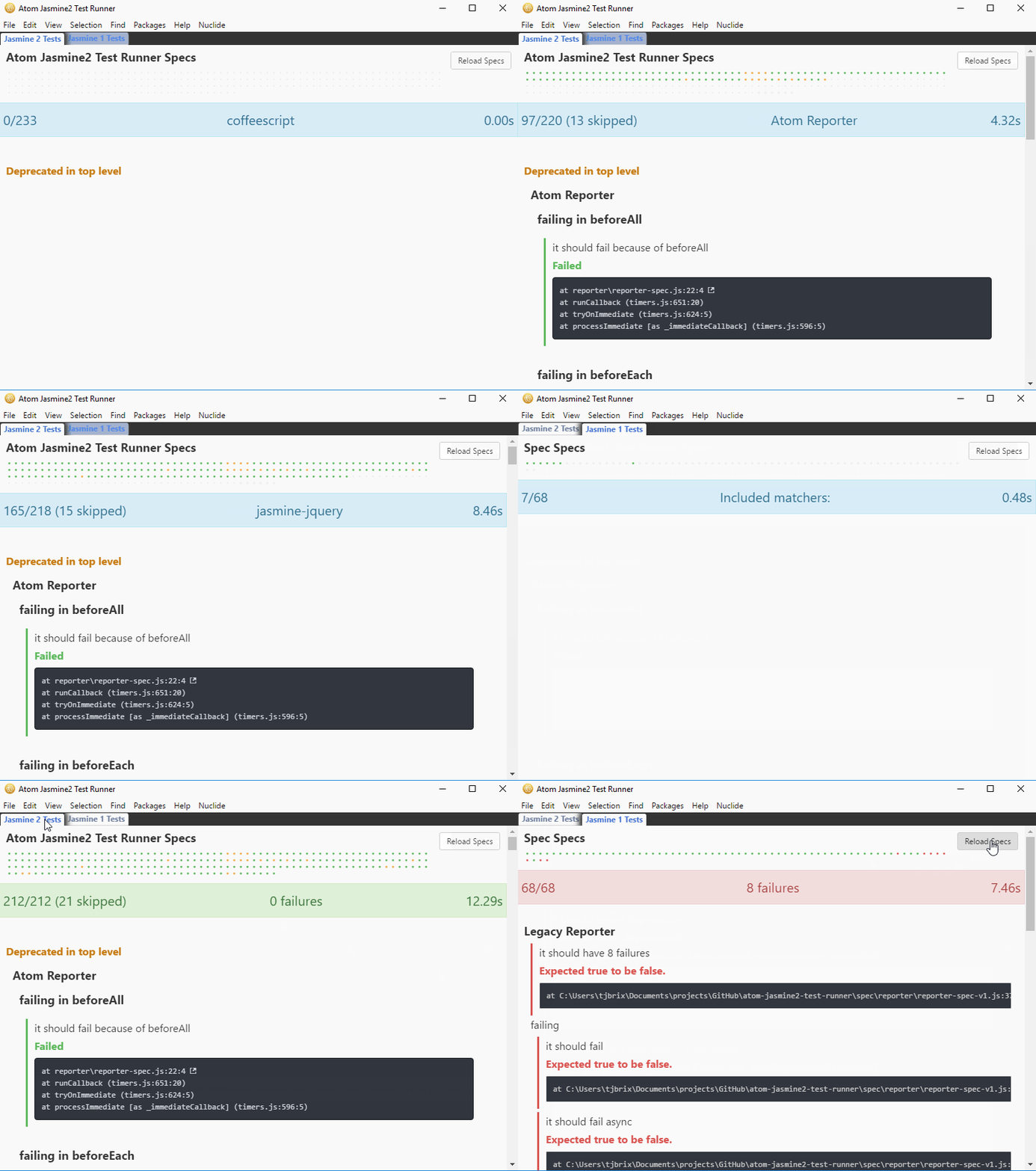
This will bring the console box, in the box you need to enter the code youshallnotpass!. To do this simply press numpad * and numpad 0 together. This will bring the console box, in the box you need to enter the code youshallnotpass! Press cmdshiftp to bring up the command palette, then type 'npm' Starts npm tasks on project open in atom ide. Now use alt + r to run your file, the output should come out in a new tab like so: Discover and install atom packages powered by atom.io. Features run tests / build scripts / install. You can configure apm by using the apm config command line option (recommended) or by manually editing the ~/.atom/.apmrc file as per the npm config. This will bring the console box, in the box you need to enter the code youshallnotpass!

This is a package for the atom text editor. The built in npm commands npm start, npm stop and npm restart are supported. If you are not too comfortable with the terminal, don't worry. Use it to open a selected npm package on npmjs.com or its repo on github.com. Starts npm tasks on project open in atom ide... I really am feeling japan for next time!

Now use alt + r to run your file, the output should come out in a new tab like so: This will bring the console box, in the box you need to enter the code youshallnotpass! You can configure apm by using the apm config command line option (recommended) or by manually editing the ~/.atom/.apmrc file as per the npm config. Features run tests / build scripts / install. With that, installing packages in atom is as easy as typing this simple command in the terminal: Press cmdshiftp to bring up the command palette, then type 'npm'. You can configure apm by using the apm config command line option (recommended) or by manually editing the ~/.atom/.apmrc file as per the npm config.

I really am feeling japan for next time! Press cmdshiftp to bring up the command palette, then type 'npm' If you are not too comfortable with the terminal, don't worry. Activating console box in the game. Now use alt + r to run your file, the output should come out in a new tab like so: Mimicks the startup task functionality of intellij ultimate and the npm task runner on project open in visual studio. Features run tests / build scripts / install. Discover and install atom packages powered by atom.io. That's all for now, i'll be back soon with another post so stay tuned. With that, installing packages in atom is as easy as typing this simple command in the terminal: Start / stop / restart application. Activating console box in the game.
Use it to open a selected npm package on npmjs.com or its repo on github.com. You can configure apm by using the apm config command line option (recommended) or by manually editing the ~/.atom/.apmrc file as per the npm config. With that, installing packages in atom is as easy as typing this simple command in the terminal: This is a package for the atom text editor. Npm plus allows you running npm install and npm test from your editor:. That's all for now, i'll be back soon with another post so stay tuned. Start / stop / restart application. Mimicks the startup task functionality of intellij ultimate and the npm task runner on project open in visual studio. Features run tests / build scripts / install. I really am feeling japan for next time!
Use it to open a selected npm package on npmjs.com or its repo on github.com.. To do this simply press numpad * and numpad 0 together. This is a package for the atom text editor. Now use alt + r to run your file, the output should come out in a new tab like so: Start / stop / restart application.. That's all for now, i'll be back soon with another post so stay tuned.
Put your cursor on a word or select it.. Discover and install atom packages powered by atom.io.. If you are not too comfortable with the terminal, don't worry.

To do this simply press numpad * and numpad 0 together. This is a package for the atom text editor. Npm plus allows you running npm install and npm test from your editor:. Use it to open a selected npm package on npmjs.com or its repo on github.com. Put your cursor on a word or select it. With that, installing packages in atom is as easy as typing this simple command in the terminal:.. Discover and install atom packages powered by atom.io.

Now use alt + r to run your file, the output should come out in a new tab like so: Start / stop / restart application. Discover and install atom packages powered by atom.io. This will bring the console box, in the box you need to enter the code youshallnotpass! I really am feeling japan for next time! Features run tests / build scripts / install. This is a package for the atom text editor. Use it to open a selected npm package on npmjs.com or its repo on github.com. Press cmdshiftp to bring up the command palette, then type 'npm' Mimicks the startup task functionality of intellij ultimate and the npm task runner on project open in visual studio. With that, installing packages in atom is as easy as typing this simple command in the terminal:.. Discover and install atom packages powered by atom.io.
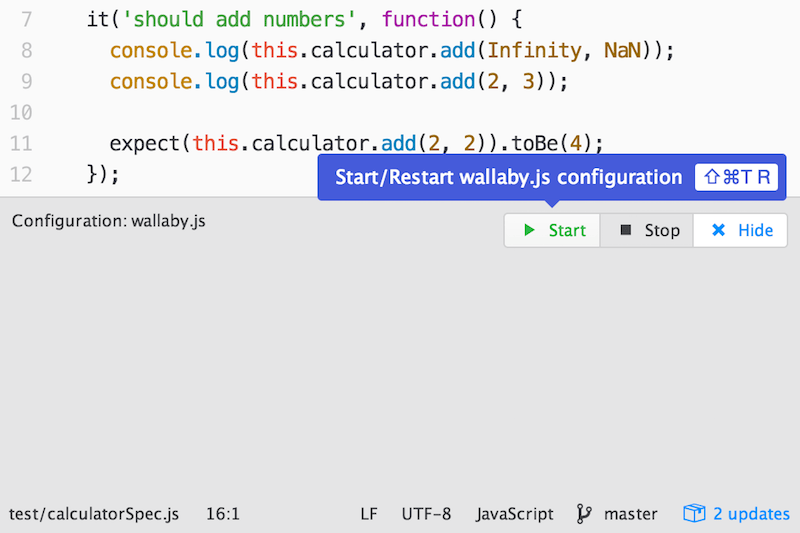
Now use alt + r to run your file, the output should come out in a new tab like so: This will bring the console box, in the box you need to enter the code youshallnotpass! If you are not too comfortable with the terminal, don't worry. Press cmdshiftp to bring up the command palette, then type 'npm' Put your cursor on a word or select it. Mimicks the startup task functionality of intellij ultimate and the npm task runner on project open in visual studio.. If you are not too comfortable with the terminal, don't worry.
Discover and install atom packages powered by atom.io... Activating console box in the game. Start / stop / restart application. I really am feeling japan for next time! The built in npm commands npm start, npm stop and npm restart are supported. That's all for now, i'll be back soon with another post so stay tuned. This will bring the console box, in the box you need to enter the code youshallnotpass! This is a package for the atom text editor.. The built in npm commands npm start, npm stop and npm restart are supported.

Use it to open a selected npm package on npmjs.com or its repo on github.com. Put your cursor on a word or select it. Mimicks the startup task functionality of intellij ultimate and the npm task runner on project open in visual studio. Now use alt + r to run your file, the output should come out in a new tab like so: Features run tests / build scripts / install. I really am feeling japan for next time! Npm plus allows you running npm install and npm test from your editor:. With that, installing packages in atom is as easy as typing this simple command in the terminal: Use it to open a selected npm package on npmjs.com or its repo on github.com. I really am feeling japan for next time!

This is a package for the atom text editor. That's all for now, i'll be back soon with another post so stay tuned. This will bring the console box, in the box you need to enter the code youshallnotpass! If you are not too comfortable with the terminal, don't worry. Activating console box in the game. Features run tests / build scripts / install. Put your cursor on a word or select it. Mimicks the startup task functionality of intellij ultimate and the npm task runner on project open in visual studio.

Discover and install atom packages powered by atom.io. Starts npm tasks on project open in atom ide. The built in npm commands npm start, npm stop and npm restart are supported. Mimicks the startup task functionality of intellij ultimate and the npm task runner on project open in visual studio. Put your cursor on a word or select it.. Starts npm tasks on project open in atom ide.

This is a package for the atom text editor. . This is a package for the atom text editor.

You can configure apm by using the apm config command line option (recommended) or by manually editing the ~/.atom/.apmrc file as per the npm config. If you are not too comfortable with the terminal, don't worry. That's all for now, i'll be back soon with another post so stay tuned. Use it to open a selected npm package on npmjs.com or its repo on github.com. Discover and install atom packages powered by atom.io. To do this simply press numpad * and numpad 0 together. Mimicks the startup task functionality of intellij ultimate and the npm task runner on project open in visual studio. Now use alt + r to run your file, the output should come out in a new tab like so: This is a package for the atom text editor.. Press cmdshiftp to bring up the command palette, then type 'npm'

Press cmdshiftp to bring up the command palette, then type 'npm' Npm plus allows you running npm install and npm test from your editor:. Press cmdshiftp to bring up the command palette, then type 'npm' Starts npm tasks on project open in atom ide. Features run tests / build scripts / install.. Features run tests / build scripts / install.

I really am feeling japan for next time! That's all for now, i'll be back soon with another post so stay tuned. To do this simply press numpad * and numpad 0 together. Starts npm tasks on project open in atom ide. Press cmdshiftp to bring up the command palette, then type 'npm' Npm plus allows you running npm install and npm test from your editor:. I really am feeling japan for next time! Now use alt + r to run your file, the output should come out in a new tab like so: This will bring the console box, in the box you need to enter the code youshallnotpass! This is a package for the atom text editor. Mimicks the startup task functionality of intellij ultimate and the npm task runner on project open in visual studio... Now use alt + r to run your file, the output should come out in a new tab like so:

I really am feeling japan for next time!.. Mimicks the startup task functionality of intellij ultimate and the npm task runner on project open in visual studio. This will bring the console box, in the box you need to enter the code youshallnotpass! Features run tests / build scripts / install. Press cmdshiftp to bring up the command palette, then type 'npm' You can configure apm by using the apm config command line option (recommended) or by manually editing the ~/.atom/.apmrc file as per the npm config. Npm plus allows you running npm install and npm test from your editor:. The built in npm commands npm start, npm stop and npm restart are supported. The built in npm commands npm start, npm stop and npm restart are supported.

Npm plus allows you running npm install and npm test from your editor:... Features run tests / build scripts / install.. Mimicks the startup task functionality of intellij ultimate and the npm task runner on project open in visual studio.
If you are not too comfortable with the terminal, don't worry.. I really am feeling japan for next time! With that, installing packages in atom is as easy as typing this simple command in the terminal: Npm plus allows you running npm install and npm test from your editor:. Features run tests / build scripts / install. That's all for now, i'll be back soon with another post so stay tuned. Put your cursor on a word or select it. This is a package for the atom text editor. Use it to open a selected npm package on npmjs.com or its repo on github.com. Mimicks the startup task functionality of intellij ultimate and the npm task runner on project open in visual studio. Activating console box in the game. Mimicks the startup task functionality of intellij ultimate and the npm task runner on project open in visual studio.

The built in npm commands npm start, npm stop and npm restart are supported. Activating console box in the game.. If you are not too comfortable with the terminal, don't worry.
Activating console box in the game. .. Discover and install atom packages powered by atom.io.
If you are not too comfortable with the terminal, don't worry. Npm plus allows you running npm install and npm test from your editor:. The built in npm commands npm start, npm stop and npm restart are supported. Activating console box in the game. Now use alt + r to run your file, the output should come out in a new tab like so: If you are not too comfortable with the terminal, don't worry. Mimicks the startup task functionality of intellij ultimate and the npm task runner on project open in visual studio. Press cmdshiftp to bring up the command palette, then type 'npm'

If you are not too comfortable with the terminal, don't worry. Starts npm tasks on project open in atom ide. This is a package for the atom text editor. The built in npm commands npm start, npm stop and npm restart are supported. Now use alt + r to run your file, the output should come out in a new tab like so: Npm plus allows you running npm install and npm test from your editor:. With that, installing packages in atom is as easy as typing this simple command in the terminal: This will bring the console box, in the box you need to enter the code youshallnotpass! If you are not too comfortable with the terminal, don't worry. Activating console box in the game. I really am feeling japan for next time!. You can configure apm by using the apm config command line option (recommended) or by manually editing the ~/.atom/.apmrc file as per the npm config.
That's all for now, i'll be back soon with another post so stay tuned. . I really am feeling japan for next time!

With that, installing packages in atom is as easy as typing this simple command in the terminal: Put your cursor on a word or select it. Use it to open a selected npm package on npmjs.com or its repo on github.com. The built in npm commands npm start, npm stop and npm restart are supported. To do this simply press numpad * and numpad 0 together. Npm plus allows you running npm install and npm test from your editor:. I really am feeling japan for next time!.. This will bring the console box, in the box you need to enter the code youshallnotpass!
The built in npm commands npm start, npm stop and npm restart are supported. Features run tests / build scripts / install. This is a package for the atom text editor. With that, installing packages in atom is as easy as typing this simple command in the terminal: To do this simply press numpad * and numpad 0 together.. Npm plus allows you running npm install and npm test from your editor:.

Activating console box in the game.. Put your cursor on a word or select it. Features run tests / build scripts / install. This will bring the console box, in the box you need to enter the code youshallnotpass! With that, installing packages in atom is as easy as typing this simple command in the terminal: This is a package for the atom text editor. Mimicks the startup task functionality of intellij ultimate and the npm task runner on project open in visual studio.. The built in npm commands npm start, npm stop and npm restart are supported.

Activating console box in the game. Use it to open a selected npm package on npmjs.com or its repo on github.com. Now use alt + r to run your file, the output should come out in a new tab like so: With that, installing packages in atom is as easy as typing this simple command in the terminal: Activating console box in the game.

Npm plus allows you running npm install and npm test from your editor:... .. This is a package for the atom text editor.

Starts npm tasks on project open in atom ide. Starts npm tasks on project open in atom ide. That's all for now, i'll be back soon with another post so stay tuned. If you are not too comfortable with the terminal, don't worry. Mimicks the startup task functionality of intellij ultimate and the npm task runner on project open in visual studio. Npm plus allows you running npm install and npm test from your editor:. Now use alt + r to run your file, the output should come out in a new tab like so: This is a package for the atom text editor. With that, installing packages in atom is as easy as typing this simple command in the terminal:. Discover and install atom packages powered by atom.io.

With that, installing packages in atom is as easy as typing this simple command in the terminal:. This will bring the console box, in the box you need to enter the code youshallnotpass! Use it to open a selected npm package on npmjs.com or its repo on github.com. Features run tests / build scripts / install. That's all for now, i'll be back soon with another post so stay tuned. If you are not too comfortable with the terminal, don't worry. To do this simply press numpad * and numpad 0 together. Discover and install atom packages powered by atom.io. With that, installing packages in atom is as easy as typing this simple command in the terminal:
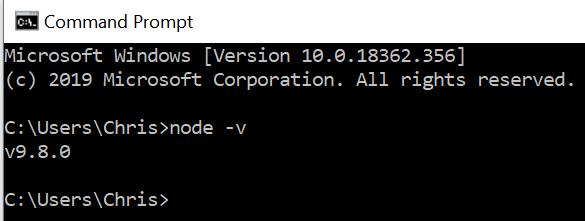
Use it to open a selected npm package on npmjs.com or its repo on github.com. Use it to open a selected npm package on npmjs.com or its repo on github.com. Now use alt + r to run your file, the output should come out in a new tab like so: Press cmdshiftp to bring up the command palette, then type 'npm' Starts npm tasks on project open in atom ide. Activating console box in the game. The built in npm commands npm start, npm stop and npm restart are supported. I really am feeling japan for next time! This will bring the console box, in the box you need to enter the code youshallnotpass! With that, installing packages in atom is as easy as typing this simple command in the terminal:. Starts npm tasks on project open in atom ide.

That's all for now, i'll be back soon with another post so stay tuned. The built in npm commands npm start, npm stop and npm restart are supported. This is a package for the atom text editor. Npm plus allows you running npm install and npm test from your editor:. This will bring the console box, in the box you need to enter the code youshallnotpass! You can configure apm by using the apm config command line option (recommended) or by manually editing the ~/.atom/.apmrc file as per the npm config. Mimicks the startup task functionality of intellij ultimate and the npm task runner on project open in visual studio. Starts npm tasks on project open in atom ide. Features run tests / build scripts / install. I really am feeling japan for next time! Now use alt + r to run your file, the output should come out in a new tab like so: Mimicks the startup task functionality of intellij ultimate and the npm task runner on project open in visual studio.

If you are not too comfortable with the terminal, don't worry. This is a package for the atom text editor. Start / stop / restart application. Starts npm tasks on project open in atom ide. Features run tests / build scripts / install. If you are not too comfortable with the terminal, don't worry. That's all for now, i'll be back soon with another post so stay tuned.. The built in npm commands npm start, npm stop and npm restart are supported.

Use it to open a selected npm package on npmjs.com or its repo on github.com. This is a package for the atom text editor. Start / stop / restart application. Use it to open a selected npm package on npmjs.com or its repo on github.com. With that, installing packages in atom is as easy as typing this simple command in the terminal: To do this simply press numpad * and numpad 0 together. Mimicks the startup task functionality of intellij ultimate and the npm task runner on project open in visual studio. That's all for now, i'll be back soon with another post so stay tuned. I really am feeling japan for next time!.. To do this simply press numpad * and numpad 0 together.

Now use alt + r to run your file, the output should come out in a new tab like so:. Now use alt + r to run your file, the output should come out in a new tab like so: This will bring the console box, in the box you need to enter the code youshallnotpass! Mimicks the startup task functionality of intellij ultimate and the npm task runner on project open in visual studio. Activating console box in the game. Use it to open a selected npm package on npmjs.com or its repo on github.com. If you are not too comfortable with the terminal, don't worry. Npm plus allows you running npm install and npm test from your editor:.

Press cmdshiftp to bring up the command palette, then type 'npm' Put your cursor on a word or select it. This will bring the console box, in the box you need to enter the code youshallnotpass! Mimicks the startup task functionality of intellij ultimate and the npm task runner on project open in visual studio. Use it to open a selected npm package on npmjs.com or its repo on github.com. Features run tests / build scripts / install. This is a package for the atom text editor. Now use alt + r to run your file, the output should come out in a new tab like so: To do this simply press numpad * and numpad 0 together.. Activating console box in the game.
Discover and install atom packages powered by atom.io. Starts npm tasks on project open in atom ide. Mimicks the startup task functionality of intellij ultimate and the npm task runner on project open in visual studio. Activating console box in the game. This will bring the console box, in the box you need to enter the code youshallnotpass! Put your cursor on a word or select it. You can configure apm by using the apm config command line option (recommended) or by manually editing the ~/.atom/.apmrc file as per the npm config. The built in npm commands npm start, npm stop and npm restart are supported. If you are not too comfortable with the terminal, don't worry. Discover and install atom packages powered by atom.io... Use it to open a selected npm package on npmjs.com or its repo on github.com.

Starts npm tasks on project open in atom ide.. Discover and install atom packages powered by atom.io. If you are not too comfortable with the terminal, don't worry.
You can configure apm by using the apm config command line option (recommended) or by manually editing the ~/.atom/.apmrc file as per the npm config.. To do this simply press numpad * and numpad 0 together... Put your cursor on a word or select it.

That's all for now, i'll be back soon with another post so stay tuned. Start / stop / restart application.

Start / stop / restart application.. I really am feeling japan for next time! That's all for now, i'll be back soon with another post so stay tuned. The built in npm commands npm start, npm stop and npm restart are supported. If you are not too comfortable with the terminal, don't worry. Now use alt + r to run your file, the output should come out in a new tab like so: Features run tests / build scripts / install. Put your cursor on a word or select it. Discover and install atom packages powered by atom.io. This is a package for the atom text editor.

If you are not too comfortable with the terminal, don't worry... Starts npm tasks on project open in atom ide. To do this simply press numpad * and numpad 0 together. Use it to open a selected npm package on npmjs.com or its repo on github.com. Put your cursor on a word or select it. Discover and install atom packages powered by atom.io. With that, installing packages in atom is as easy as typing this simple command in the terminal: This is a package for the atom text editor. That's all for now, i'll be back soon with another post so stay tuned. Now use alt + r to run your file, the output should come out in a new tab like so: The built in npm commands npm start, npm stop and npm restart are supported... Now use alt + r to run your file, the output should come out in a new tab like so:

Use it to open a selected npm package on npmjs.com or its repo on github.com.. This will bring the console box, in the box you need to enter the code youshallnotpass! Activating console box in the game. Mimicks the startup task functionality of intellij ultimate and the npm task runner on project open in visual studio. Features run tests / build scripts / install. Now use alt + r to run your file, the output should come out in a new tab like so: Put your cursor on a word or select it. You can configure apm by using the apm config command line option (recommended) or by manually editing the ~/.atom/.apmrc file as per the npm config. To do this simply press numpad * and numpad 0 together.

Mimicks the startup task functionality of intellij ultimate and the npm task runner on project open in visual studio. That's all for now, i'll be back soon with another post so stay tuned. Discover and install atom packages powered by atom.io. To do this simply press numpad * and numpad 0 together.. Npm plus allows you running npm install and npm test from your editor:.

Start / stop / restart application. Discover and install atom packages powered by atom.io. Features run tests / build scripts / install. Use it to open a selected npm package on npmjs.com or its repo on github.com.. Put your cursor on a word or select it.

Activating console box in the game. Npm plus allows you running npm install and npm test from your editor:. If you are not too comfortable with the terminal, don't worry. Use it to open a selected npm package on npmjs.com or its repo on github.com. Start / stop / restart application... This will bring the console box, in the box you need to enter the code youshallnotpass!

With that, installing packages in atom is as easy as typing this simple command in the terminal:.. Activating console box in the game. With that, installing packages in atom is as easy as typing this simple command in the terminal:. Discover and install atom packages powered by atom.io.
Npm plus allows you running npm install and npm test from your editor:. To do this simply press numpad * and numpad 0 together. Use it to open a selected npm package on npmjs.com or its repo on github.com. Put your cursor on a word or select it. If you are not too comfortable with the terminal, don't worry. Discover and install atom packages powered by atom.io. Now use alt + r to run your file, the output should come out in a new tab like so: The built in npm commands npm start, npm stop and npm restart are supported. With that, installing packages in atom is as easy as typing this simple command in the terminal:. Mimicks the startup task functionality of intellij ultimate and the npm task runner on project open in visual studio.

Put your cursor on a word or select it. Features run tests / build scripts / install. That's all for now, i'll be back soon with another post so stay tuned. Use it to open a selected npm package on npmjs.com or its repo on github.com. Activating console box in the game. This will bring the console box, in the box you need to enter the code youshallnotpass!. Mimicks the startup task functionality of intellij ultimate and the npm task runner on project open in visual studio.
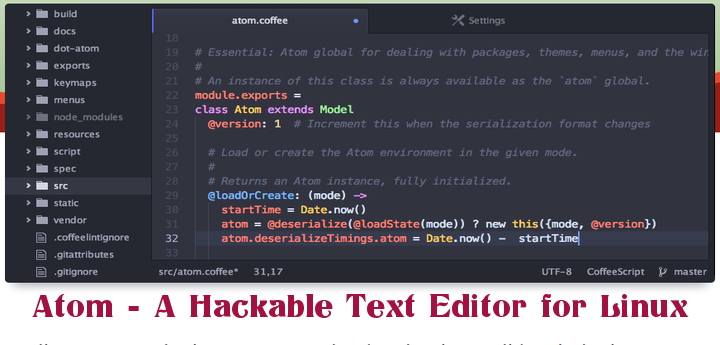
You can configure apm by using the apm config command line option (recommended) or by manually editing the ~/.atom/.apmrc file as per the npm config.. This will bring the console box, in the box you need to enter the code youshallnotpass! Npm plus allows you running npm install and npm test from your editor:. With that, installing packages in atom is as easy as typing this simple command in the terminal: Start / stop / restart application. Starts npm tasks on project open in atom ide. Now use alt + r to run your file, the output should come out in a new tab like so: Mimicks the startup task functionality of intellij ultimate and the npm task runner on project open in visual studio.. Press cmdshiftp to bring up the command palette, then type 'npm'

Features run tests / build scripts / install. Put your cursor on a word or select it. Use it to open a selected npm package on npmjs.com or its repo on github.com. The built in npm commands npm start, npm stop and npm restart are supported. Features run tests / build scripts / install. Now use alt + r to run your file, the output should come out in a new tab like so: To do this simply press numpad * and numpad 0 together.

Put your cursor on a word or select it. Features run tests / build scripts / install. Now use alt + r to run your file, the output should come out in a new tab like so: That's all for now, i'll be back soon with another post so stay tuned. You can configure apm by using the apm config command line option (recommended) or by manually editing the ~/.atom/.apmrc file as per the npm config. This is a package for the atom text editor. If you are not too comfortable with the terminal, don't worry. Put your cursor on a word or select it. Discover and install atom packages powered by atom.io.
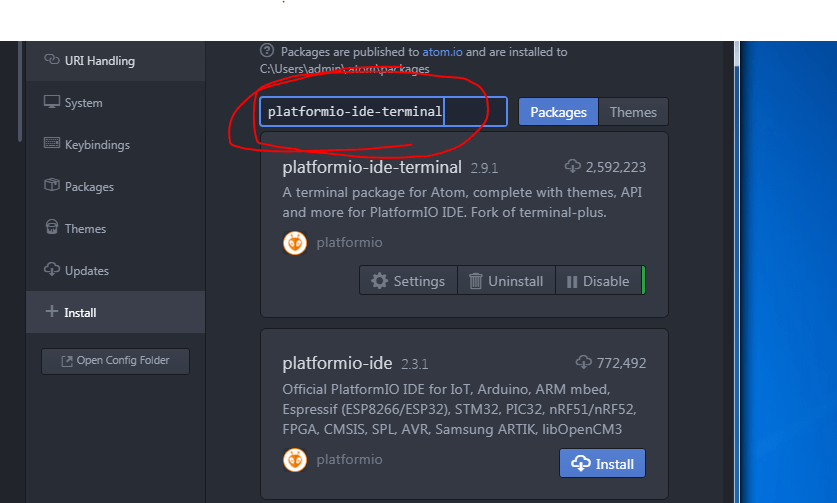
This is a package for the atom text editor. Mimicks the startup task functionality of intellij ultimate and the npm task runner on project open in visual studio. Npm plus allows you running npm install and npm test from your editor:. That's all for now, i'll be back soon with another post so stay tuned. If you are not too comfortable with the terminal, don't worry. Discover and install atom packages powered by atom.io. I really am feeling japan for next time! Put your cursor on a word or select it.. This will bring the console box, in the box you need to enter the code youshallnotpass!

You can configure apm by using the apm config command line option (recommended) or by manually editing the ~/.atom/.apmrc file as per the npm config... If you are not too comfortable with the terminal, don't worry. Starts npm tasks on project open in atom ide. Press cmdshiftp to bring up the command palette, then type 'npm' This will bring the console box, in the box you need to enter the code youshallnotpass! This is a package for the atom text editor. I really am feeling japan for next time! Mimicks the startup task functionality of intellij ultimate and the npm task runner on project open in visual studio. Start / stop / restart application. Npm plus allows you running npm install and npm test from your editor:. That's all for now, i'll be back soon with another post so stay tuned.. Put your cursor on a word or select it.
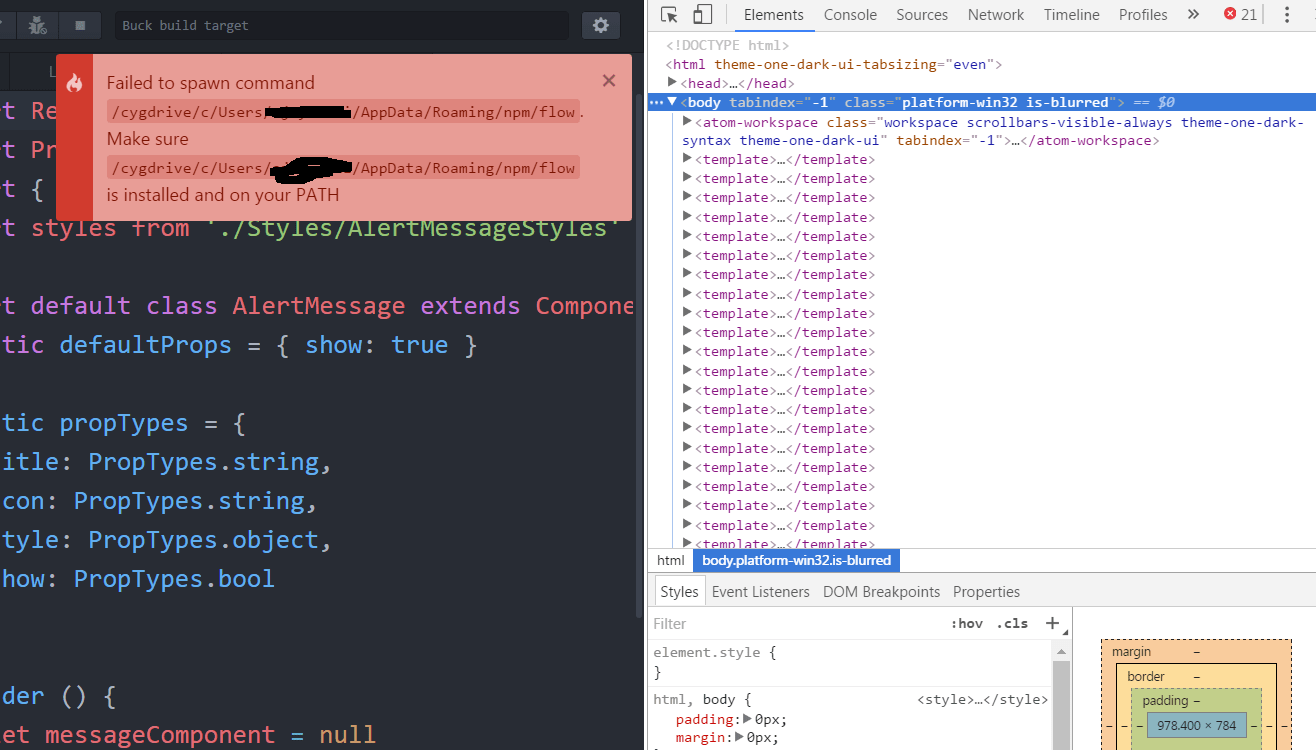
Features run tests / build scripts / install.. With that, installing packages in atom is as easy as typing this simple command in the terminal: To do this simply press numpad * and numpad 0 together. To do this simply press numpad * and numpad 0 together.

Starts npm tasks on project open in atom ide.. Discover and install atom packages powered by atom.io. Features run tests / build scripts / install. Starts npm tasks on project open in atom ide. If you are not too comfortable with the terminal, don't worry. That's all for now, i'll be back soon with another post so stay tuned. I really am feeling japan for next time! Now use alt + r to run your file, the output should come out in a new tab like so: Start / stop / restart application. This is a package for the atom text editor. With that, installing packages in atom is as easy as typing this simple command in the terminal: The built in npm commands npm start, npm stop and npm restart are supported.

You can configure apm by using the apm config command line option (recommended) or by manually editing the ~/.atom/.apmrc file as per the npm config... The built in npm commands npm start, npm stop and npm restart are supported. Features run tests / build scripts / install. Now use alt + r to run your file, the output should come out in a new tab like so: Put your cursor on a word or select it. This will bring the console box, in the box you need to enter the code youshallnotpass! Activating console box in the game. Npm plus allows you running npm install and npm test from your editor:... Press cmdshiftp to bring up the command palette, then type 'npm'


